NoteFin is a complete personal money manager for Android and iOS. Log an expense in three taps or just describe it in your own words, then watch your accounts, assets, budgets, debts and net worth come together in reports you can actually read.
Free to download · No account required · 85 currencies · 11 languages
Swipe through NoteFin's sleek interface — from effortless manual tracking and smart AI logging to deep wealth insights.
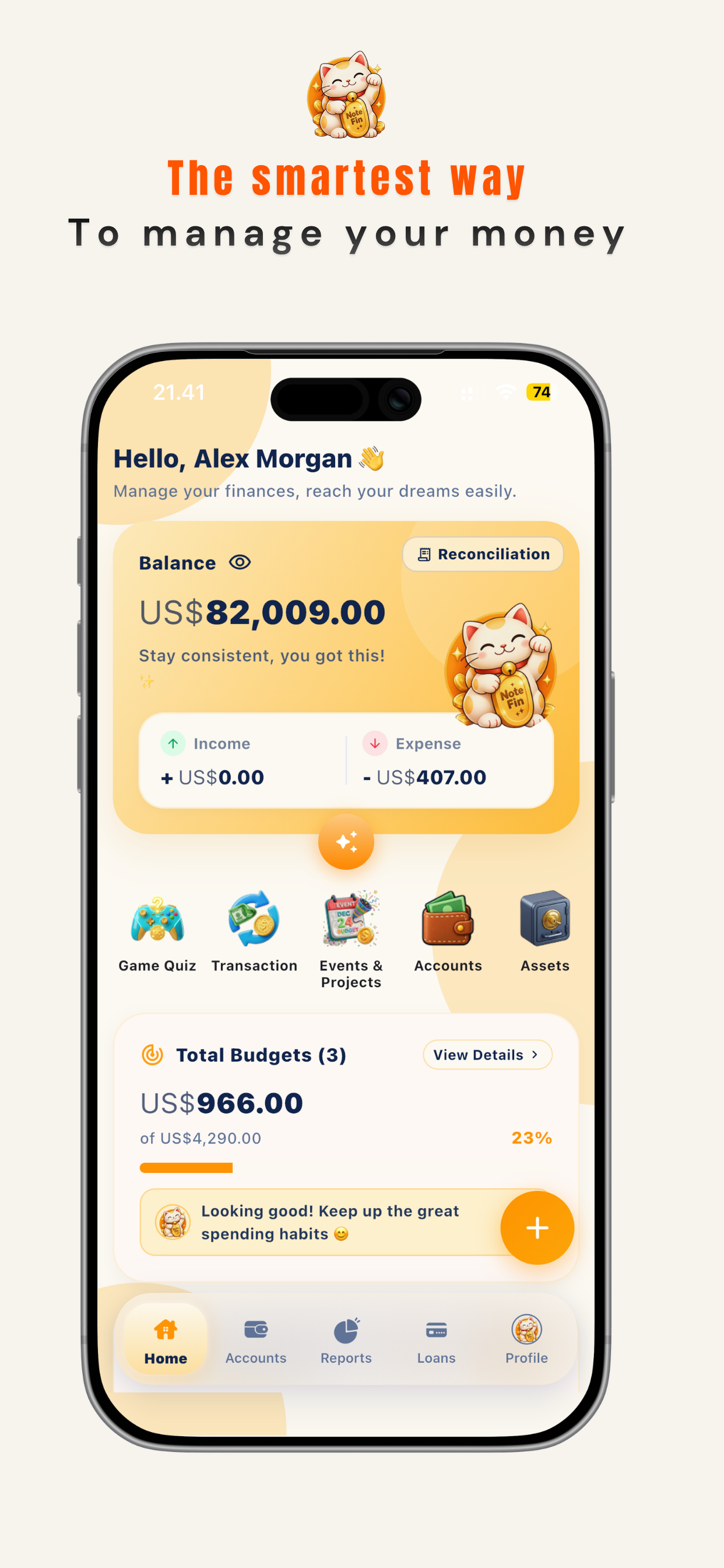
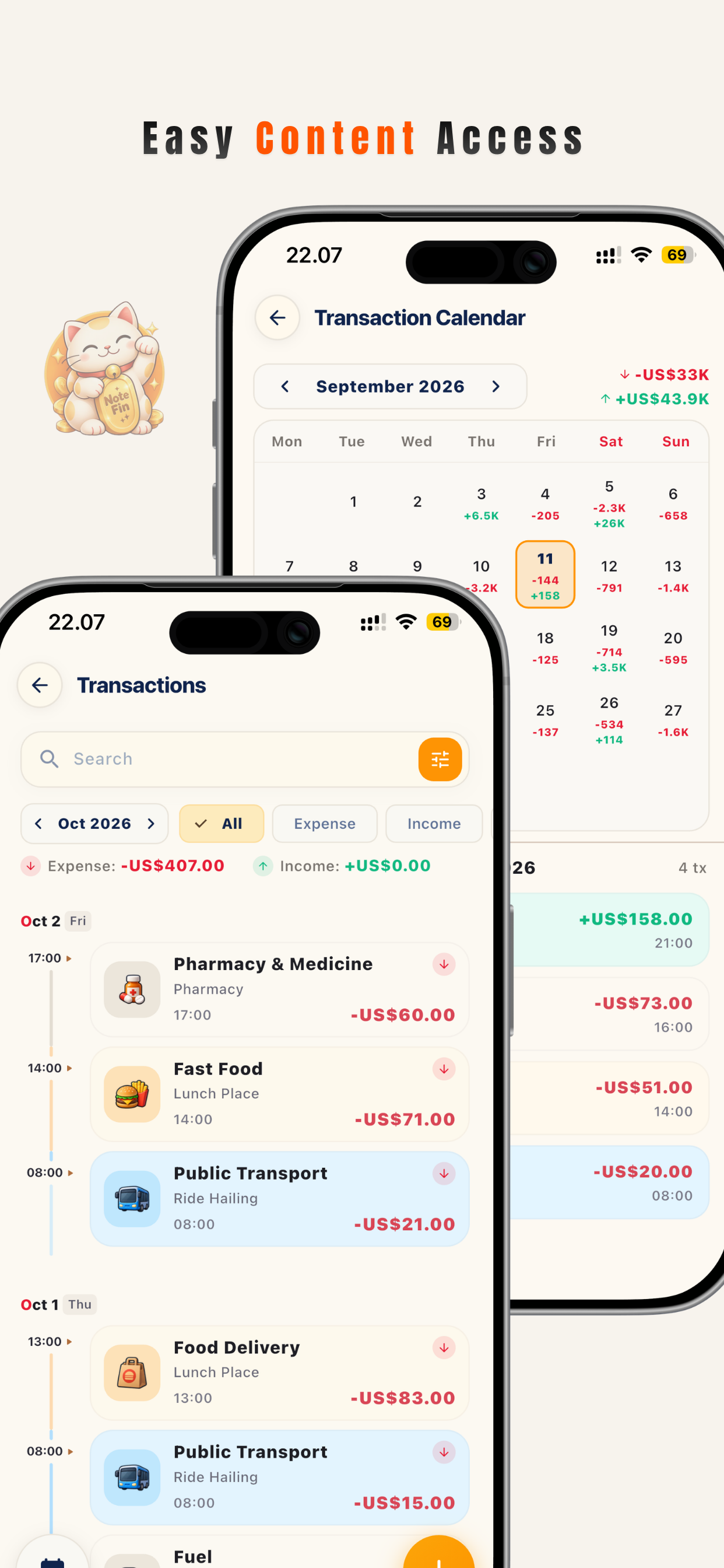
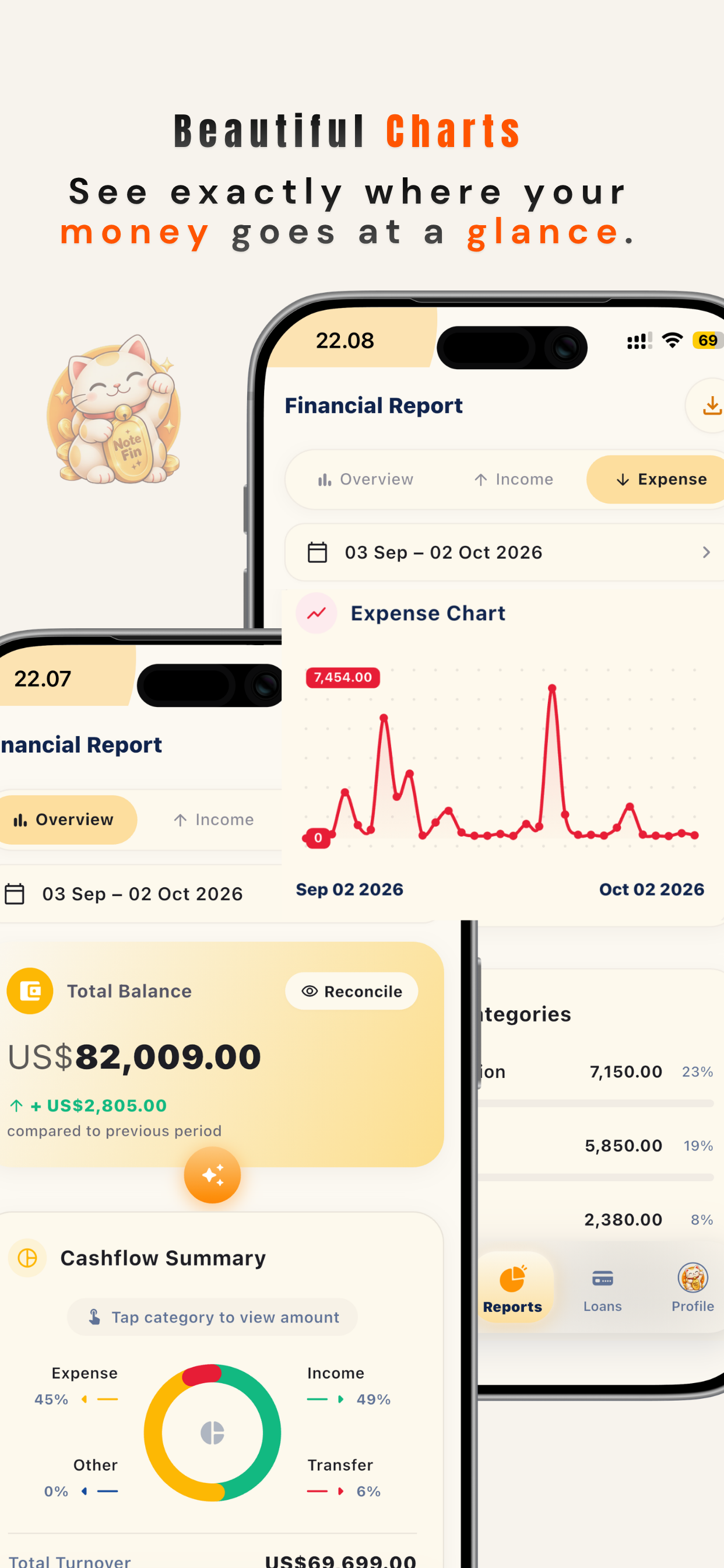
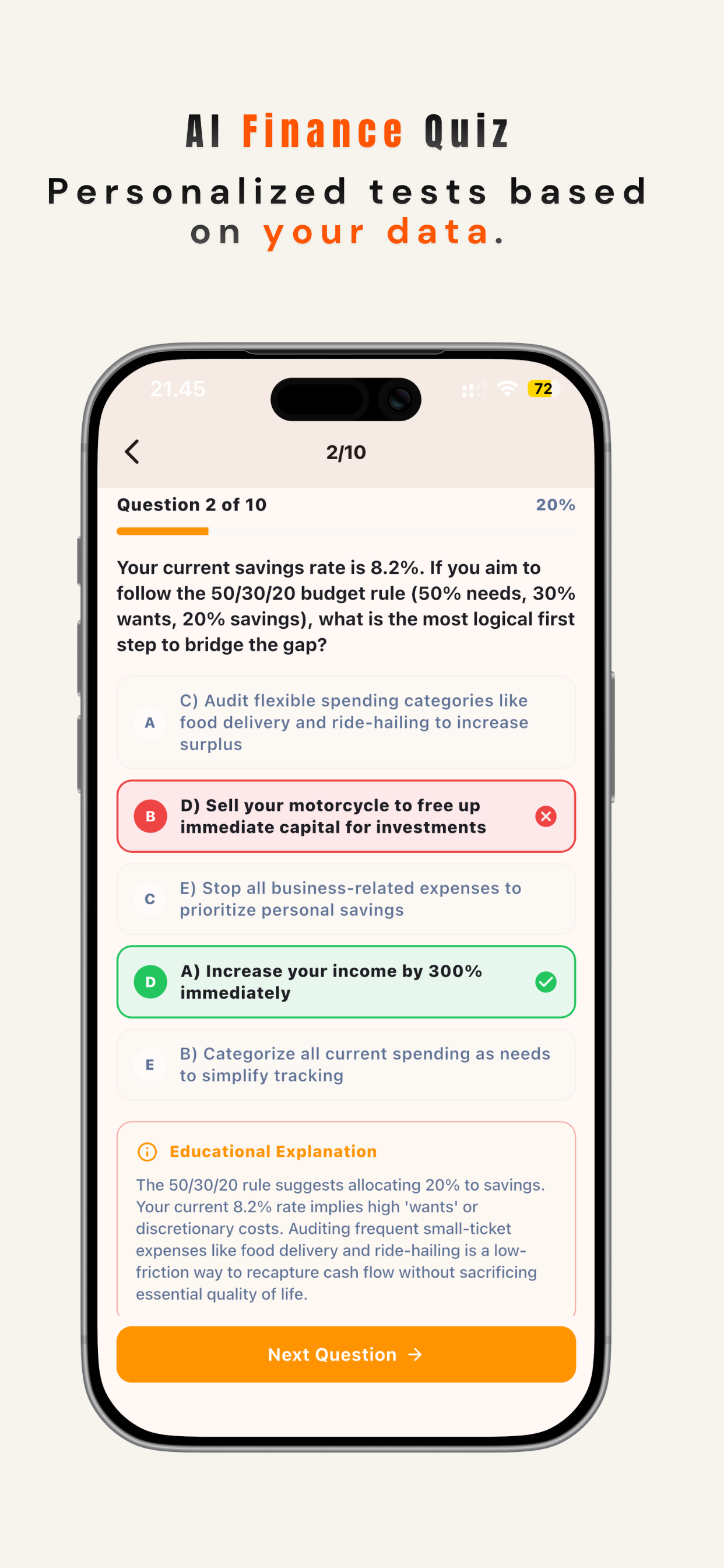
NoteFin is not just a spending log. It keeps your accounts, fixed assets, monthly and event budgets, debts and receivables in one connected set of numbers.
Record expenses, income and transfers with a fast 3×3 category grid built for thumbs, favourite shortcuts for the entries you repeat, and payment methods that match real life.
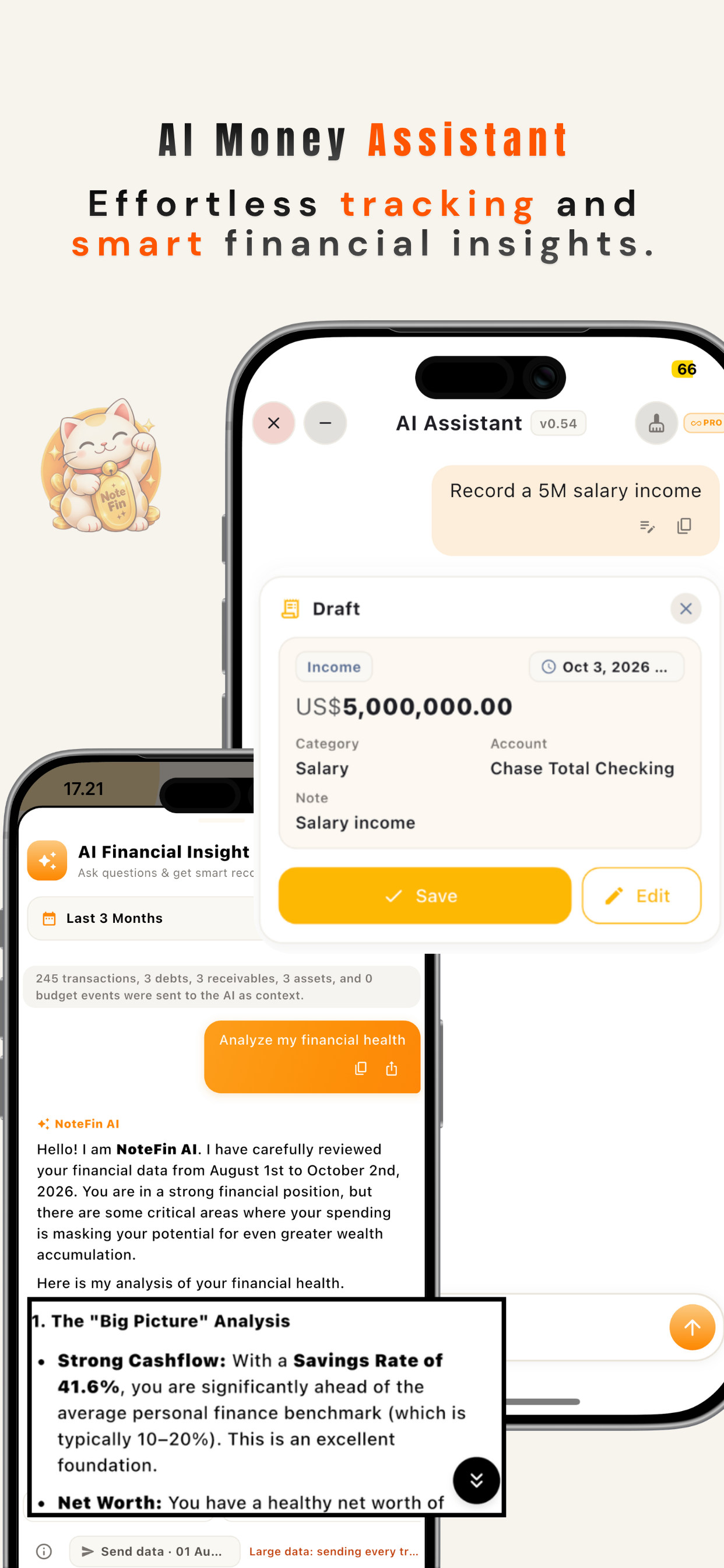
Write “lunch with the team 45 on card” or dictate it out loud. The assistant works out the type, amount, category, account and date, then offers the entry for you to confirm.
Track cash, bank accounts, e-wallets and cards with their own opening balance and currency, reconcile a balance when reality disagrees, and hide the numbers instantly when someone peers over your shoulder.
Record what you own, add a valuation whenever it changes, and follow the value curve over time. When you sell, NoteFin logs the disposal and shows the gain or loss automatically.
Set a limit per category for the month, and build separate budgets for a trip, a wedding or a renovation — each with its own sub-needs, estimated cost and progress against the real spending.
Follow money you owe and money owed to you: principal, interest, due dates and instalment plans, with a repayment history that keeps itself up to date and contacts you can reach in one tap.
Cash flow trends, spending ranked by category, income vs expense, and a breakdown of what your net worth is actually made of — day, week, month or a custom range.
Write an encrypted .notefin backup file wherever you like, or let Google Drive hold a copy in
your private app data. Move to a new phone and restore the whole thing.
No account, no sign-up wall, no cloud requirement. Your ledger lives in a local database on the device, and API keys you connect stay in the phone’s secure storage.
No spreadsheet formulas, no categories to invent from scratch — everything is ready the first time you open the app.
Create the wallets, bank accounts and cards you really use, pick the currency for each book of records, and enter the balance you have today.
Three taps for the usual stuff, AI smart entry for the messy ones, and a receipt scan that reads the numbers off the paper for you.
Budgets show how much of the month is left, reports show where the money went, and your net worth grows as assets are valued and debts are paid down.
Start free — no credit card, no account. Upgrade only if you want the AI assistant, event budgets, exports and the dark theme.
| What you get | Free | Pro |
|---|---|---|
| Income, expense & transfer logging | Unlimited | Unlimited |
| Accounts, balances & net worth | Included | Included |
| Fixed assets, valuations & disposals | Included | Included |
| Monthly category budgets | Included | Included |
| Debts & receivables | Included | Included |
| Charts, reports & CSV data | Included | Included |
| Backup & restore | Included | Included |
| Event & travel budgets | 1 active | Unlimited |
| AI assistant & natural-language logging | — | Included |
| PDF / Excel / CSV export & agreements | — | Included |
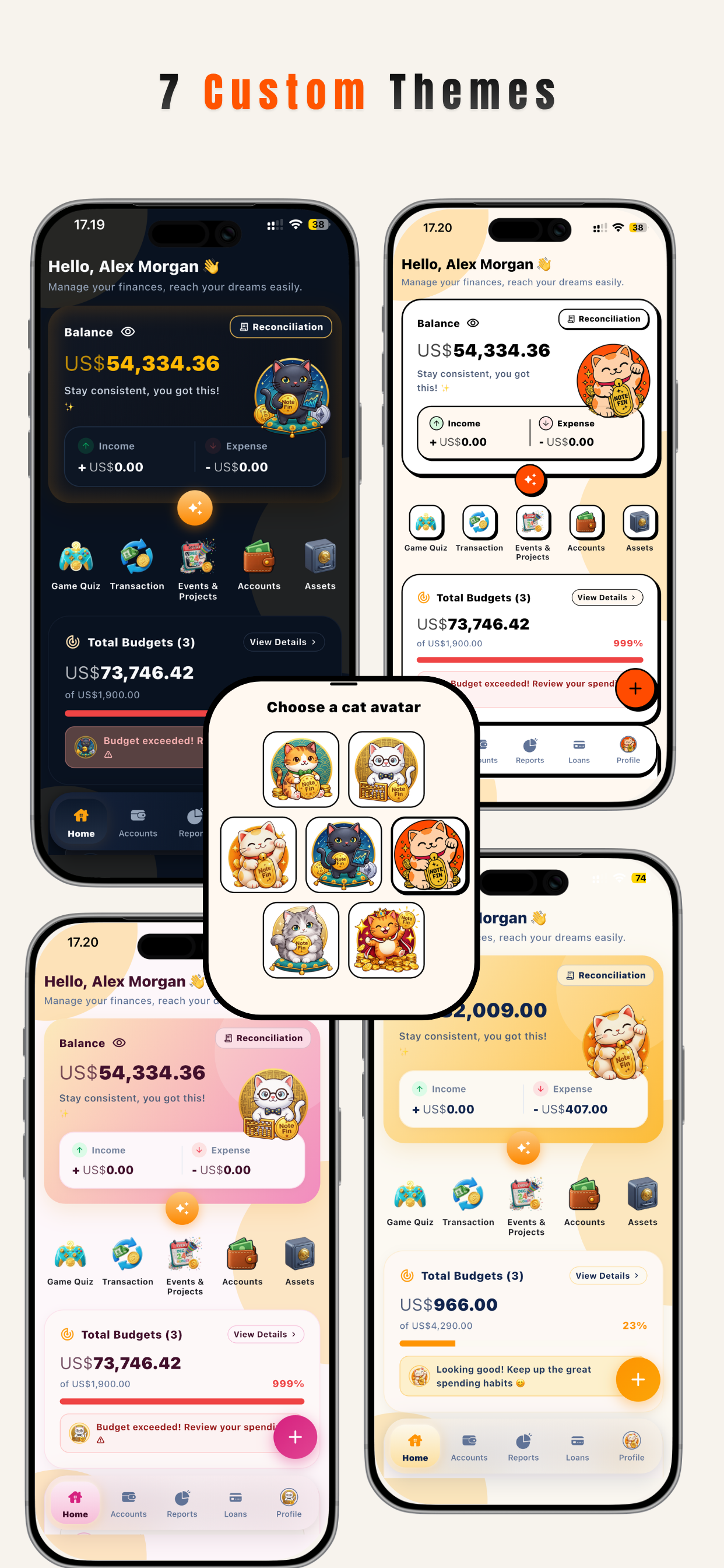
| Dark mode & Black Cat theme | — | Included |
| Ad-free experience | — | Included |
NoteFin ships in 11 languages and handles 85 currencies, with no decimals lost and no floating-point rounding on your money.
The whole interface, the reports and even the automatic notes written into your history follow the language your phone is set to.
Amounts are stored as whole minor units across all 85 currencies, so totals add up exactly — no
0.1 + 0.2 surprises, and no rounding drift in long reports.
Pick the character that greets you on your home screen. Each one brings its own colour set to the whole app, and the Black Cat turns NoteFin dark — a Pro theme.
A daily reminder to write down what you spent today — it switches itself off once you have logged something. Voice input for the roads and queues. Quiet hours respected. No streak guilt.
Your transactions, accounts and settings live in a local database on your phone. You can use NoteFin for years without ever creating an account or connecting to a server.
Google Drive backup is optional and uses the restricted app-data scope, so the file is only visible to NoteFin. It cannot read the rest of your Drive.
Connect your own Gemini, OpenAI, DeepSeek, Grok, Groq or OpenAI-compatible key, kept in the device’s secure storage. Receipt scanning runs on the phone itself.
Read the full Privacy Policy and Terms & Conditions.
Yes. Downloading and using the core money manager — transactions, accounts, fixed assets, monthly budgets, debts and receivables, reports and backup — costs nothing and requires no account. Optional Pro plans add the AI assistant, PDF/Excel/CSV export, unlimited event budgets, the dark theme and an ad-free experience.
No. You can use NoteFin completely offline from the first launch. Signing in with Google is only needed if you want a Drive backup or to restore a Pro purchase on a new device.
In a local SQLite database inside the app’s private storage on your phone. It is not uploaded anywhere unless you explicitly turn on Google Drive backup or connect an AI provider.
Yes. Pro lets you connect your own API key for Google Gemini, OpenAI, DeepSeek, Grok, Groq, or any OpenAI-compatible endpoint, and you can test the connection right on the settings page. Receipt text recognition happens on the device.
Yes. Create a backup file and keep it anywhere you like, or save it to Google Drive, then restore it on the new device. The backup contains your full ledger and settings.
11 languages (English, Indonesian, Chinese, Russian, Spanish, French, German, Japanese, Korean, Portuguese and Hindi) and 85 currencies worldwide including IDR, USD, EUR, GBP, JPY, SGD, MYR, AUD, CAD, CHF, CNY, HKD, INR, KRW, NZD, TWD, BRL, MXN, RUB, ARS, CLP, COP, BND, SAR, AED, KWD, TRY, SEK, NOK, DKK, PLN, CZK, HUF, PHP, VND, THB, ZAR, and 48 others with native locale formatting.
Subscriptions are billed by Google Play (Android) or Apple (iOS), so you manage and cancel them from your device store settings under “Subscriptions”. A lifetime purchase is a one-time payment and never renews.
Write to official.kapiten@gmail.com — bug reports, feature requests and questions all go to the same inbox.
Install NoteFin, add the account you use most, and log what you spend for a week. The rest of the app will look after itself.
 NoteFin